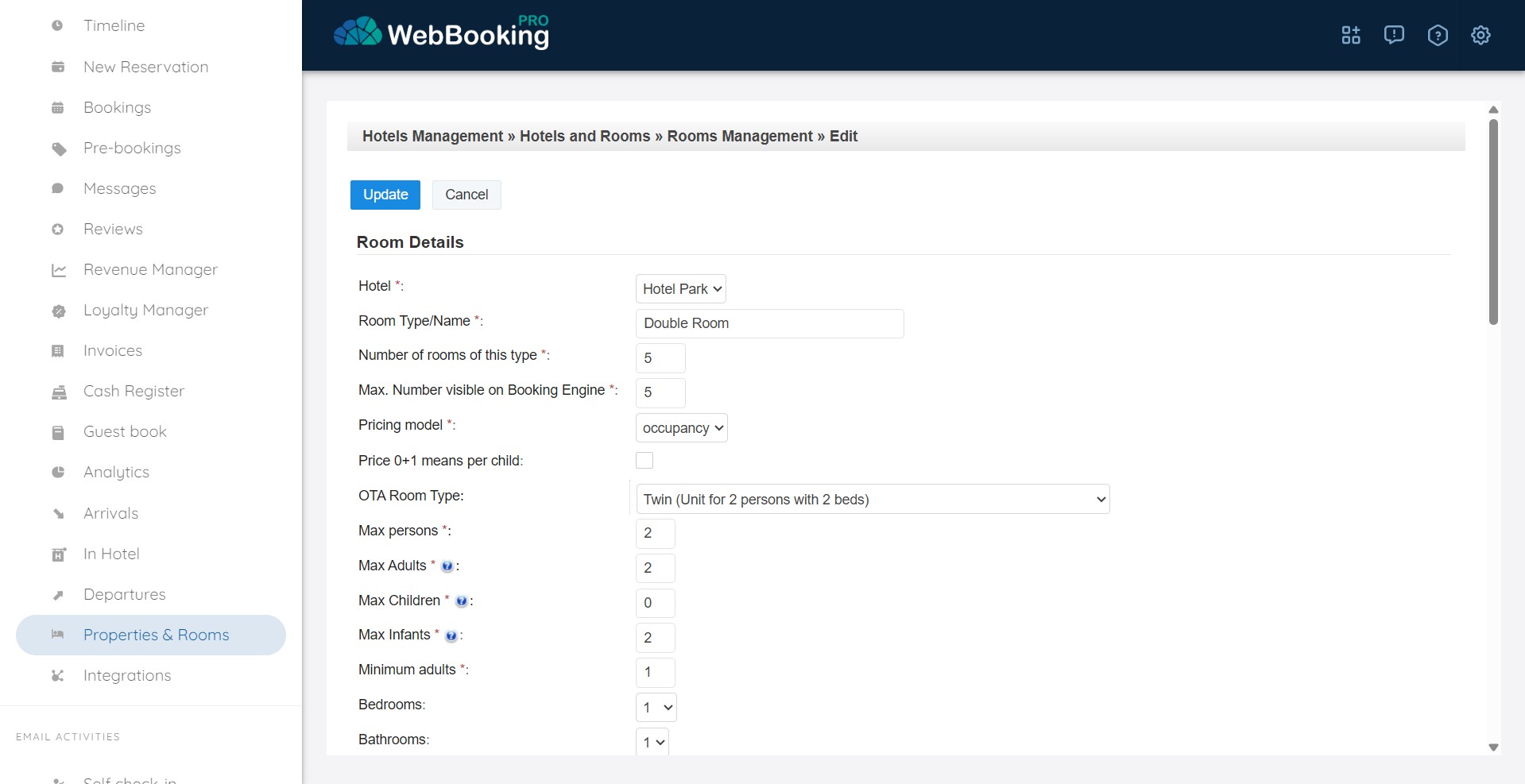
For left menu choose Properties & Rooms – “[Rooms]” to set up Rooms for your property.
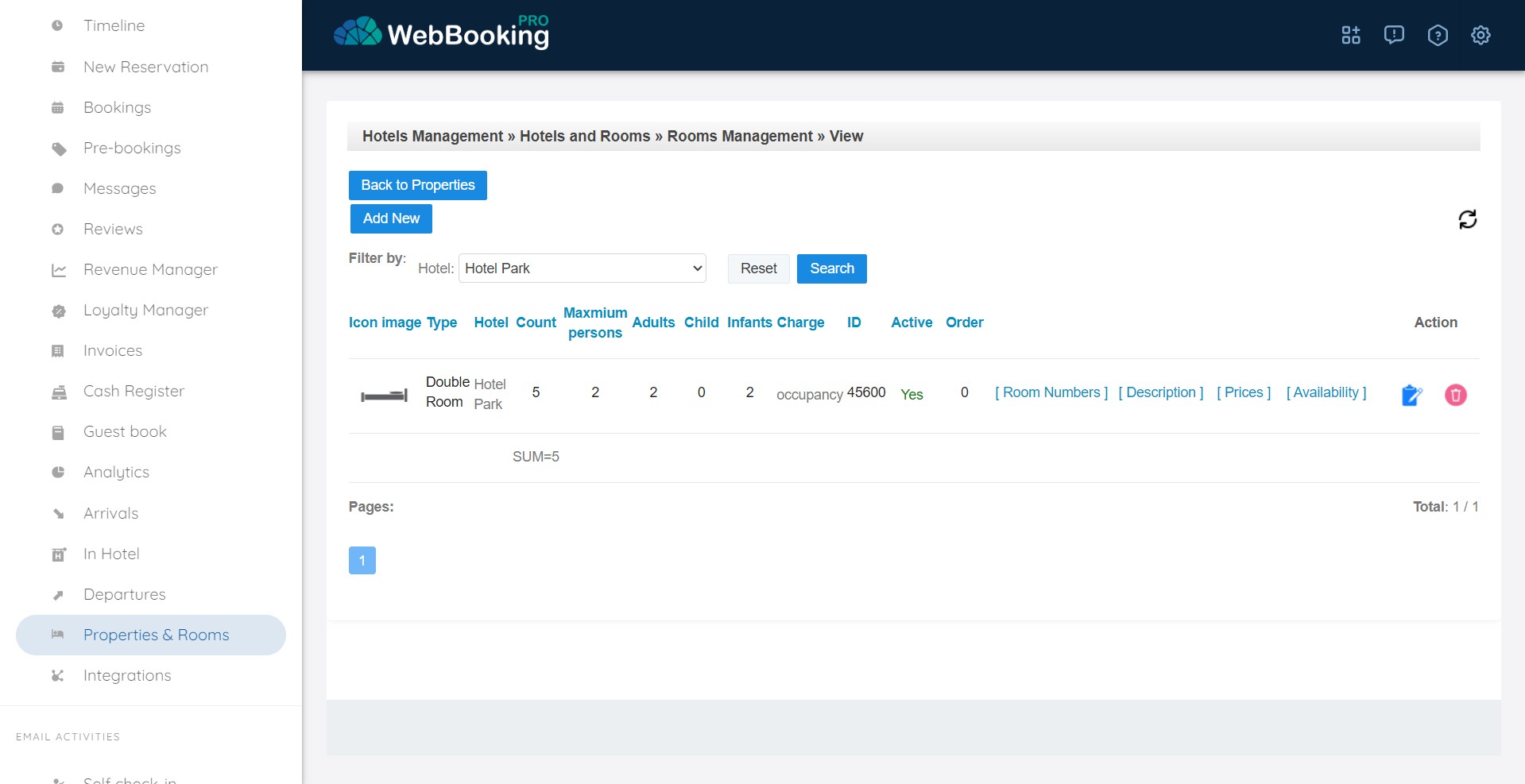
If your property is Villa or House for rent that is selling as whole property, you must define 1 ROOM that represents this property. You can set name of the Room same as name of the property.
To add new rooms, please click “Add New” button.
To modify existing rooms click on Edit icon on the end of every Room line.
For every room type (or 1 room that represents your property) you must at least set:
- Max persons
- Max Adults
- Max Children
- Max Extra Beds
- Number of available Rooms of each type
- Pricing
We recommend setting at least 4 images and room facilities and room description in all languages you support. All those information will be used for presentation of room on Booking engine, or when sending room information to OTA channels where Content is supported (e.g. Google Metasearch, TripAdvisor, Atraveo, …).
Room Pricing can be:
- per room – means only price per room will be set and used
- per occupancy – means price can be set for single use, double use, tripple use, or any combination adults+children. Prices can be independent or relative. Relative prices are usefully for defining situations like single-use (1+0) is double-use (2+0) – 30%, 2+1 = 2+0 + 30 EUR, …
- per person – means defining per person. Additional charge for single use or discount for extra adults or children based on number of adults and their ages…
- per person + plot – this is used for camps where plot has some base price and there is additional price per adult or child person